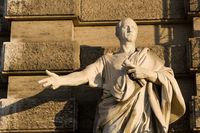

The conference as we used to know it was very stiff, structured and didactic.
It's been the same since Cicero—the speaker spoke and the audience listened. Maybe the audience had a chance to ask questions at the end, or chat about the content at coffee break, but like television it was essentially one-way communication.
I speak at about 50 conferences and events all over the world each year. The best are those that integrate the physical event.
Integrate Social Media at your event
Now, at conferences all over the world, audience members connect with one another in real time while speakers are up at the podium. This "back-channel" is truly revolutionary as it allows listeners to discuss content as it is being delivered. What’s more, it brings a new virtual audience into the room—sometimes from the opposite end of the Earth.
Hashtags allow people in the audience and everywhere else can tune into the back channel. Many attendees post photos and video clips in real time too so people can see what's happening.
Crowdsourcing - when others post content to your conference site - is a terrific way to build valuable information.
It's not just Twitter either. Some people at conferences now use GPS-enabled mobile applications like Foursquare—which allows you to see where your friends are in the conference hall (or playing hooky at the bar). And with live video streaming services like Qik, anyone can upload a speech to the Internet in real time.
Alan Belniak, Director of Social Media Marketing at PTC, wrote about how he integrated social media into the PTC/USER World Event 2010 held a few weeks ago in blog post How to Leverage Digital and Social Media at Events/Conferences.
Here are some of the things Alan did:
Developed a single page where all of the social media feeds could be found.
Gave about a dozen people Flip Video cameras and had them create videos that were uploaded onto a YouTube video channel
Created a Flickr feed
Established a hashtag - #ptcuser10 – and then archived the Twitter feed
Aggregated 35 different bloggers posts.
Alan’s example is a good one. Check out his blog post for details on how he did it.
Archive the content forever
Here is a final, but critically important point. You need to archive all this great content so that people can find it in years (and decades) to come.
Sadly, many companies re-use their conference web sites year after year and delete last year’s conference content to create this years’. Don’t!
Keep each year’s content so people can go back and check. Additionally, the inbound links will help in your natural SEO.
Cicero Image: Shutterstock / Jozef Sedmak
Disclosure: I have done some coaching work for PTC.


Very nice article to read and funny to come across this since i have just started a company which focuses on this particular point.
Facilitating and integrating Social Media on events on a next level.
I have to agree with you on many points. Only the solutions i see here are in my opinion already been done not innovative (the ideas are correct and good, so don't get me wrong)
Thank you very much for your post!! loved it
Posted by: Omar Kbiri | June 29, 2010 at 03:42 PM
Nice post. Yes, I'm surprised at how many orgs still do not incorporate Social Media into their events - before, during AND after the event. Another great use of social media for events is to connect people: 1. prior to the event (so you can see who is going and this also helps the org because people may attend based on other attendees who are going) 2. during the event (so you can easily arrange meetings and find people) 3. after the event (forum so that people can share their thoughts / ideas that resulted from attending the event...their feedback about the event...this also gives peeps opp to connect with those that they missed at he event...this could also be foundation for building an ongoing event group that grows from year to year - or however often event takes place). Thanks David.
Posted by: Jaculynn Peterson | June 29, 2010 at 05:11 PM
Great summary, David. One thing I'd like to add about archiving the content: I went through all of the posts that went live throughout the event and tagged the top 20 or so; that's what you see on the event page now. That's because initially, it was a dynamic feed, and these bloggers were issuing posts after the event that were not related. So, to preserve the context, we made the blog feed static, and hand-picked the top posts. Ditto for the Twitter feed (though that's not hand-picked, just a static archive). Though the individual tools themselves may not be innovative, I certainly think this is something fresh for our industry and a way for those that couldn't attend to stay on top of the event.
-Alan Belniak / @abelniak
http://www.SubjectivelySpeaking.net
Posted by: Abelniak | June 29, 2010 at 05:15 PM
Alan, thanks for jumping in with this clarification. Great work on your conference.
Jaculynn, Great point on before, during, and after!
David
Posted by: David Meerman Scott | June 29, 2010 at 07:17 PM
Thanks for the nice post, David.
Here's an idea I do at the events and conferences I speak at -- when I kick things off, I pull up my TweetDeck and show it on the large screen. The first person who Tweets something with my Twitter handle in it (@60SecondTweets) gets a free copy of my book, "How to Make Money with Social Media."
It's a great way to get the audience involved and also highlights the immediacy of social media.
Thanks again for the ideas in your post. I hope this additional one is also helpful to your readers.
Best,
Jamie Turner
The 60 Second Marketer
Posted by: 60SecondTweets | June 30, 2010 at 08:31 AM
Great post David! Everything so simple and easy to understand. Great outline of event planning using social media
Have wonderful day! I will be reposting it to my Facebook
Tatyana
Posted by: SmokinHotPR | June 30, 2010 at 07:50 PM
David-
Have to love the era we are in right now (and will continue to be in). It used to be an event happened. And that was pretty much it...unless your local paper snapped up a few shots.
Now any event becomes an ongoing social and media experience. Before, during and after.
Posted by: David Siteman Garland | July 02, 2010 at 02:09 PM
Great article David! If you or any of your readers are interested in connecting a live Twitter feed to TVs or Projectors at your events and integrating Twitter into the environment, check out http://www.streamtwitter.com
Posted by: StreamTwitter | August 16, 2010 at 06:44 PM
There are a lot of resources available to incorporate social media, but I feel like it's not always easy. Thanks for letting me know how to do it more smoothly!
Posted by: RF Tooling | April 14, 2011 at 11:29 AM